$ inbox-digest
in progressThis project was inspired by the YouTuber reysuu, who used Claude to run daily briefings for himself so he wouldn’t have to struggle through his inbox line by line. I built this with the same idea: cut down the effort of going through my emails, using an LLM and Obsidian.
Example
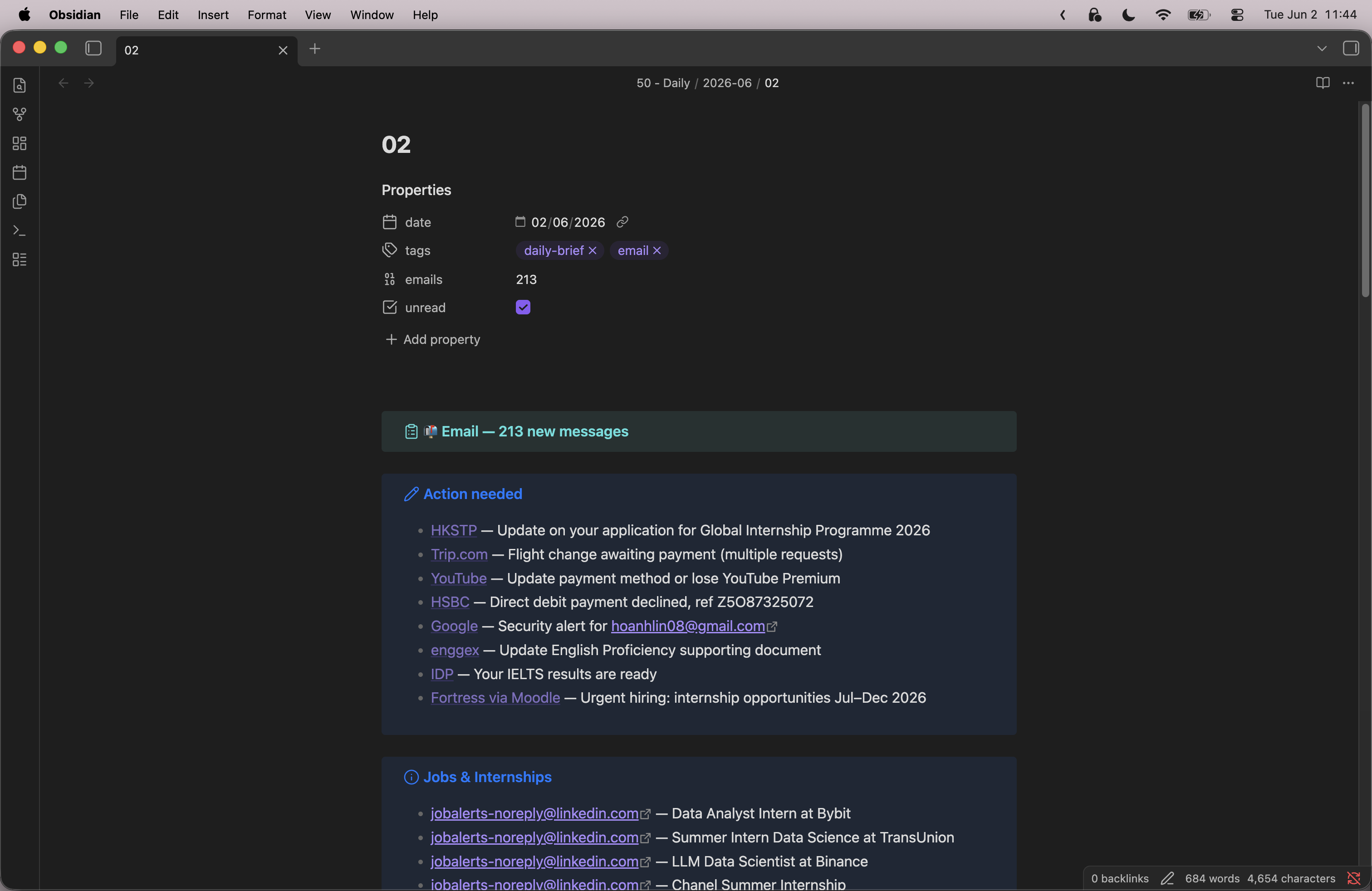
This is how it turned out — a .md file viewed in Obsidian (please don’t judge my emails):
How it works
- Fetch — connects to the mailbox over IMAP and pulls the day’s emails.
- Embed & index — each email is cleaned, embedded, and stored in ChromaDB so the agent can search by meaning, not just keywords.
- Retrieve — at digest time, the agent queries the index for what’s relevant: unanswered threads, upcoming dates, commitments.
- Generate — the retrieved context goes to an LLM, which writes the digest: a few bullet points instead of a hundred emails.
Making it run itself (in progress)
The first version used the Gmail API with OAuth, which meant wrestling with the Google Developer Console and locked the project to Gmail. I’m reworking it to fetch over IMAP instead — IMAP is a standard protocol, so it works with any email provider and drops the whole Google-console dependency.
I’m also setting it up to run on my home server (an old laptop) on a daily schedule, so the digest lands in my inbox each morning without me touching it — turning a script I run by hand into an always-on service.
Struggles
The original OAuth setup was the painful part — configuring the Google Developer Console is tedious, and since this isn’t a published app, anyone setting it up had to go through that themselves. Moving to IMAP is largely about removing that friction.
There was also an authentication wall with work/school Outlook accounts, which don’t let you hand your mail to a third-party app. The workaround was forwarding those emails to a Google account and fetching from there — another reason IMAP (which most providers support directly) is the better path.
What I learned
This was my first proper look at how these AI-agent pipelines fit together — how RAG retrieval differs from plain keyword search, how MCP works, and how the fetch → embed → retrieve → generate stages connect. Reworking the auth layer also taught me why a standard protocol like IMAP beats a vendor-specific API when you want something portable.
Status
The Gmail/OAuth version works. I’m currently migrating it to IMAP and setting up scheduled runs on my home server. Future ideas: running a local LLM instead of a hosted one (for privacy), and smoothing the setup if friends want to use it.